Welcome to SDOTECK Support Page

This page support you to use iPhone TOOLS by SUDOTECK .

Jan 1, 2014

SUDOTECK released application HEX calc pro for iOS.
This application enables mix mode calculation functions for Develop Engeneer .
Version 1.00


1) Normaly you can use FLOATING value .
2) Automatically calculate to 64-bit HEX value.
3) Tap HEX indicator , you can enter the number as HEX mode.
4) Tap DEC indicator , youcan enter DEC or Floating value.
5) You can enter HEX , DEC , Float value on every calculation.


Please comment this topic if you have any question .

Aug 16, 2013

Float Calendar サポート

Version 1.10
-前後の年も表示出来るようになりました。
-標準バックスクリーンを修正しました

機能説明

メインスクリーン

1) 標準で今月の月ビューを表示します。
2) 左右にフリップすることで月を変えます。
3)シェイクアクションで今月に戻ります。
4) 今日のパネルを特別な色で表示します(黄色標準)
5)今日の詳しい表示は日にちパネルをタップすれば、拡大表示します。拡大表示すればスケジュールが表示されます。標準のカレンダーアプリで登録した内容が表示出来ます。 もう一度タップして月表示に戻ります。
6) 2〜3日の表示をしたい場合は、一度1日表示にしてから、ピンチオフして縮小します。最初からピンチインしますと、月を変えてしまいますので注意ください。
 月がフリップ出来なくなった場合、一度1日表示してから月表示に戻すと直ります。
7) このバージョンは予定を追加することは出来ません。

 スマートな予定追加方法を検討しています。


設定スクリーン

1) 設定スクリーンでは 年、月のフォント色や今日のパネルの色を変更出来ます。(保存機能はありません。アプリ終了で戻ります)
 色を変えるにはまず、月表示か今日のパネルをタップして選び、 RED/GREEN/BLUE のスライダーで変えます。
2) 背景部分をタップすると iPhone にある画像から好きなイメージを選択することが出来ます。標準で縦画面のものが適しています。横画面のものは幅が縮小されます。
 ALPHA のスライダーで透過率を変えることが出来ます。左に動かすと白っぽくなります。
3) Bound Effect を ONにするとカレンダーを変える時に日パネルがバウンドして動きます。傾きを検知していますので水平で行うとゆっくり動きます。
4) More ボタンでバージョン表示します。

何か追加してほしい機能がありましたら、ここに書き込んで下さい。

Float Calendar Support Page

日本語はこちら

Version 1.10
-Enable to change Another Year
-modify default Back Screen Image

future

Main Screen

1) Display the Calendar of Current month .
2) You can change month with FLIP action .
3) You can easy back to current month with SHAKE action .
4) Today display as OWN color ( default Yellow ) .
5)To change detail display of the DAY and normal display with TAP the Day Panel.
6) To display more large area , you must TAP DAY PANEL first,
then PINCH OFF action to see more smaller .
Remenber if you can not move next month ,you should try TAP
DAY PANEL , and again TAP DAYPANEL to back dafault Month display .
7) This version is not supported to ADD schedule.
You can add schedule using default calendar APP .
We wiil find out more smart way to add schedules .


Preference Screen


1) You can change the color of current DAY panel's background ,Year and month font color .( not saved )
To chenge color ,you must TAP TARGET first .
You can TAP MONTH font and DAY panel .
To change color , move RED , GREEn , BLUE slider .
2) you can change the background image from picture of your iPhone .
And can change it's transparency .
Slide to left side ,Image will more LIGHT ( white) .
3) You can set special moving mode at to change month ,
when the Bound Effect is ON .
This function check angle of iPhone , keep horizontal is
more slowly action .
4) More Button show Info and version .

Please advise us if you want another COOL function .

post free on this page .

Apr 10, 2012

FSpeed Support BLOG

FSpeed Version 1.0
Please Ask About this APP.
One Tips .....
Tap Fuel Indicator ! You can Display Digital Speed Level .

Feb 19, 2012

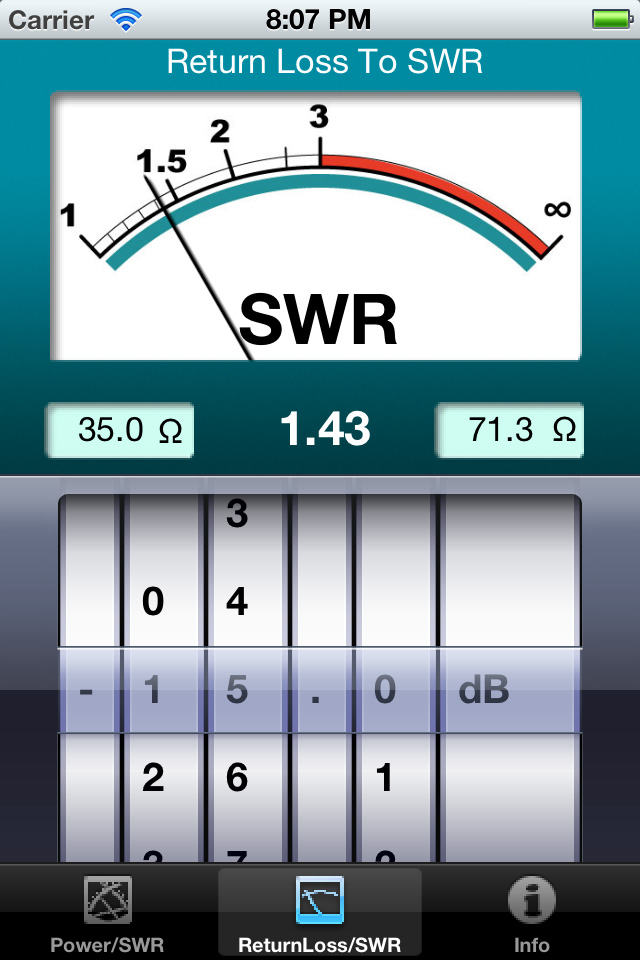
iOSアプリ SWRpro リリース


エンジニア向けiOSアプリ SWRpro をリリースしました。 アナログメーターがジワジワ振れる感じ、傾けると針がズレる所もシミュレートしました。 

Sep 26, 2011

お産支援アプリ「楽に産も!」がAppBankで紹介されました

iPhone/iPodお産支援アプリ「楽に産も!」ver1.0がAppBankで紹介されました
*やはりお父さんの視点で、「妻に寄り添って助ける」って使い方がいちばんポピュラーですかね?
お産の頃は、やはり夫婦Love&Loveって時期だからね。
Rakusanicon512

Aug 29, 2011

楽に産も!リリース

sudoteck は iPhone用のお産支援ソフト「楽に産も!」ver1.0 をリリースしました。
 陣痛周期・経過時間を記録して陣痛の山を乗り切るための、赤ちゃんのアニメーションや、半分経過アナウンスなど実績に基づいた工夫がしてあります。プレゼントにもどうぞ。

Aug 10, 2011

高周波電力増幅器

高周波電力増幅器のページをSUDOTECKブログに追加しました。
Please check SDOTECK Blog about Hign Power RF Amplifier .

Feb 25, 2011

FIL Calc Support page

FILCalc Support page

SUDOTECK released applicationFIL Calc for iOS.

This application has four calculation functions for RF Engeneer .
Version 1.00
1) LPF calculator .
2) HPF calculator .
3)Air Coilcalculator .

Picker Wheel Data setting interface is very simple for all functions .

DETAILS of functions
1) LPF
When you want to design LPF ,set the kind of filters using left wheel .
[C1.] ... chebychev filter of ripple 1dB MAX .
[C.5] ... chebychev filter of ripple 0.5dB MAX .
[C.2] ... chebychev filter of ripple 0.2dB MAX .
[But] ... Butterworth filter .
[Bes] ... Bessel filter .
And next whel select Number of components .
Cut-off frequency is set with numeric 4 wheels and "KHz" , " MHz" wheel .
An ideal characteristic is displayed on the screen.
And calculated value will displayed ata each components .
2) HPF
When you want to design HPF ,set the kind of filters using left wheel .
And next whel select Number of components .
Cut-off frequency is set with numeric 4 wheels and "KHz" , " MHz" wheel .
An ideal characteristic is displayed on the screen.
And calculated value will displayed ata each components .
3) Air Coi
To developing filter circuits , you will often need to make some coils .
The Air Coil is used for many filters .
You can calculate the value of coil using [D]iameter wheel and [L]ength and [N] turn of coil ..

4) Info
Info TAB will show you the responce of each kind of filters ,S11,S21 and groupe delay .
Tap [i] button , you can jump File calc support WEB .

Oct 29, 2010

Dclock

SUDOTECK released application Dclock for iOS.
This application is simple CLOCK display by Dot .
Version 1.00


DETAILS 
1) Display MODE


When you launch Dclock ,
you can see Year ,Date and Time .

Second display will move up and down slowly .And you see " Show STATUS Bar " Button below ,The STATUS Bar was hidden .
In this mode ,your iPhone ,iPod ,iPad will not SLEEP !
You MUST use with Power CHARGER in this mode.
2)Check MODE


Press "Show STATUS Bar" Button , youcan see STATUS Bar .
And Button will cange to " Hide STATUS Bar " .
In this MODE your iPhone,iPod,iPad can SELLP .
3) Version 1.0
Dclock does not have any TIMER ,ALARM function .
You must set Alarm with default CLOCK Application ,if you need .

Sep 2, 2010

ATT calc for iOS

SUDOTECK released application ATT Calc for iOS.
This application has four calculation functions.

1) dBm to W calculator .
2) ATT value in dBm to each Resistors of circuit .
3) Resistors of circuit to ATT value .
4) Resistance connected parallel .

Picker Wheel Data setting interface is very simple for all functions .


dBm/W
DETAILS of functions

1) dBm/W 
    Set Numeric Wheel to power value in dBm ,
    So power  value in W will calculate above .
   Minus dBm value  is possible from 0.01µW ,
   using [+/-] Wheel.


2) dB-R
dB-R
  Choose ATT tpe [Pi] or [T] ,
   schematics will change Pi type or
    T type .
  Select ATT value with right Wheel .
  Each R Value will calculate above .


3) R -dB
   
R -dB
Choose ATT tpe [Pi] or [T] ,
   schematics will change Pi type or
   T type .
  Select R1 and R2  value with 
  next 2 Wheels .
  ATT Value will calculate above ,
  and calculated total impedance in Ohm .
 Note : 


4) R1//R2


R1//R2

  Select R1 and R2  value with 
  2 Wheels .
  Parallel Value will calculate above ,
  
  Note: info Button will show version and
  can go to Support URL .